






A lightweight, extensible network logging framework for iOS. Log every HTTP request and response with zero configuration changes to your networking code.
- Why XNLogger?
- Screenshots
- Quick Start
- Requirements
- Installation
- Features
- Usage
- Limitations
- Contributing
- Support
- License
- Zero-config interception -- works with
URLSession, Alamofire, and AFNetworking out of the box, no code changes needed in your networking layer. - Memory-efficient -- logs are written to disk, not held in memory, preventing crashes from large binary payloads (images, videos, etc.).
- Multiple simultaneous handlers -- log to Xcode console, file, Slack, a remote server, or your own custom handler -- all at once.
- Modern Swift -- Swift 6 concurrency safe, AsyncStream observation, Combine publisher, and SwiftUI-first UI.
- In-app debugging UI -- shake your device or press a keyboard shortcut to browse, search, and share network logs with a built-in inspector.
| Network Log list | Request details | Response details |
|---|---|---|
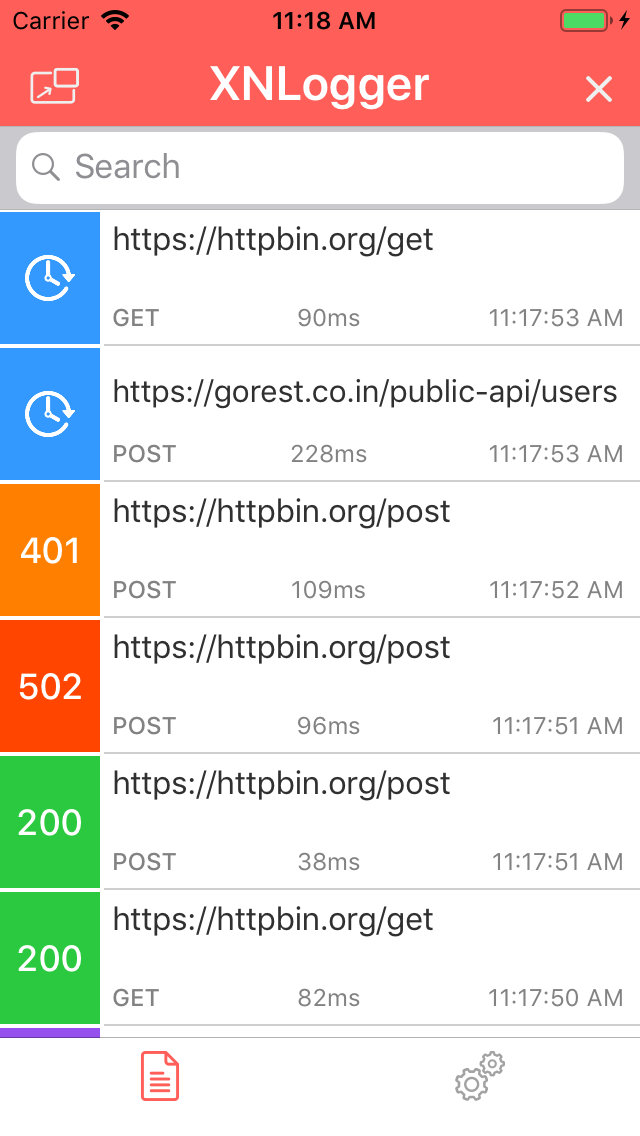 |
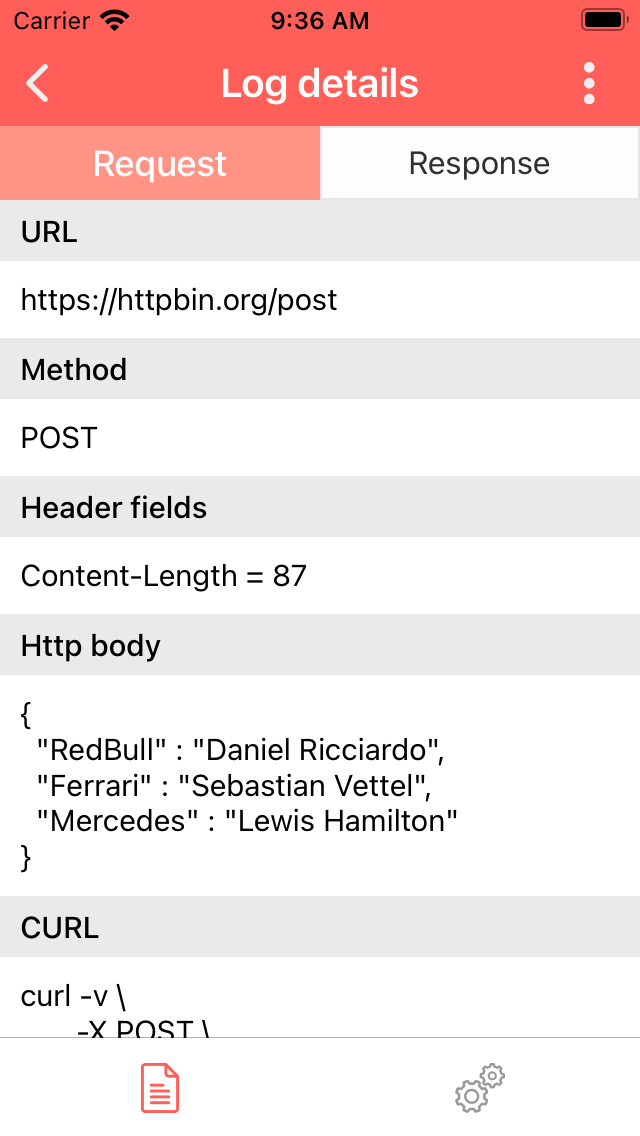 |
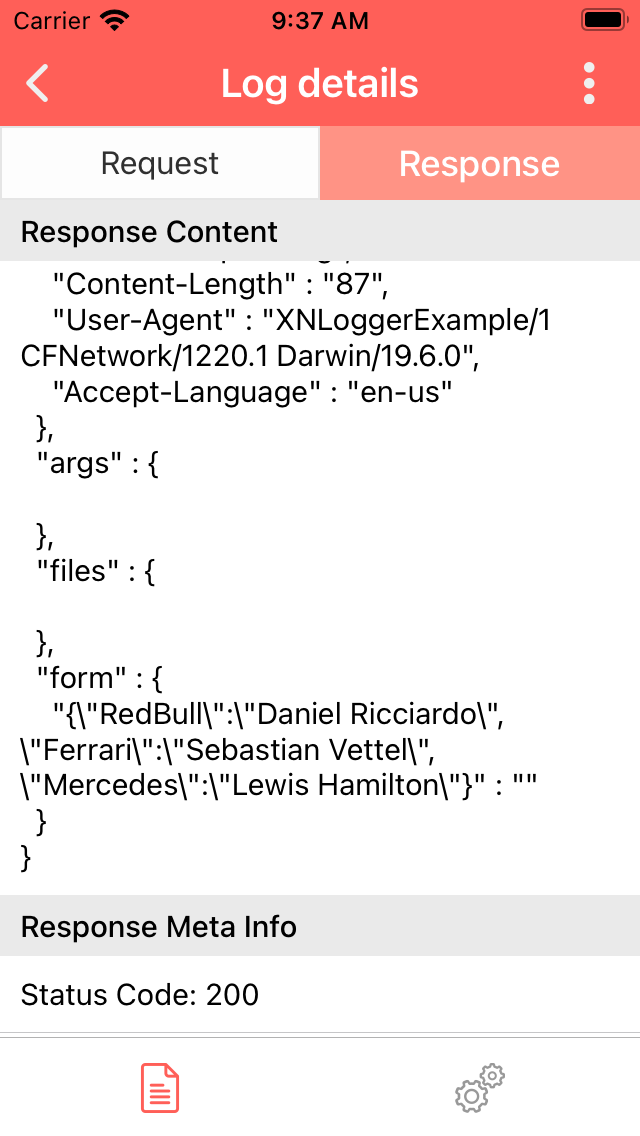 |
| Share | Multimedia preview | Mini view mode (PIP) |
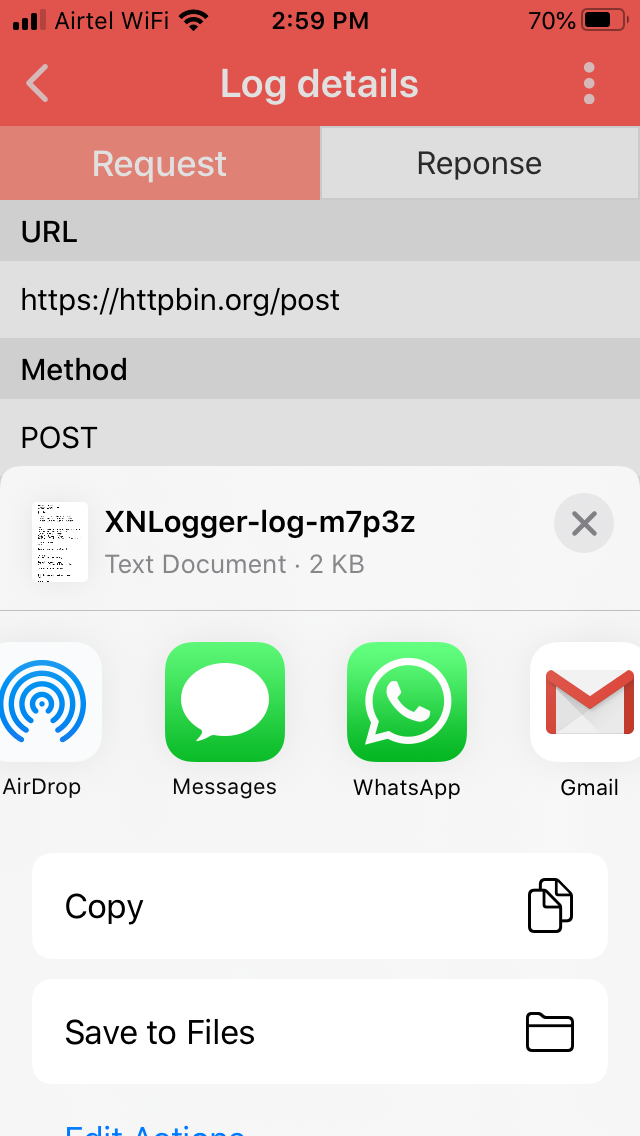 |
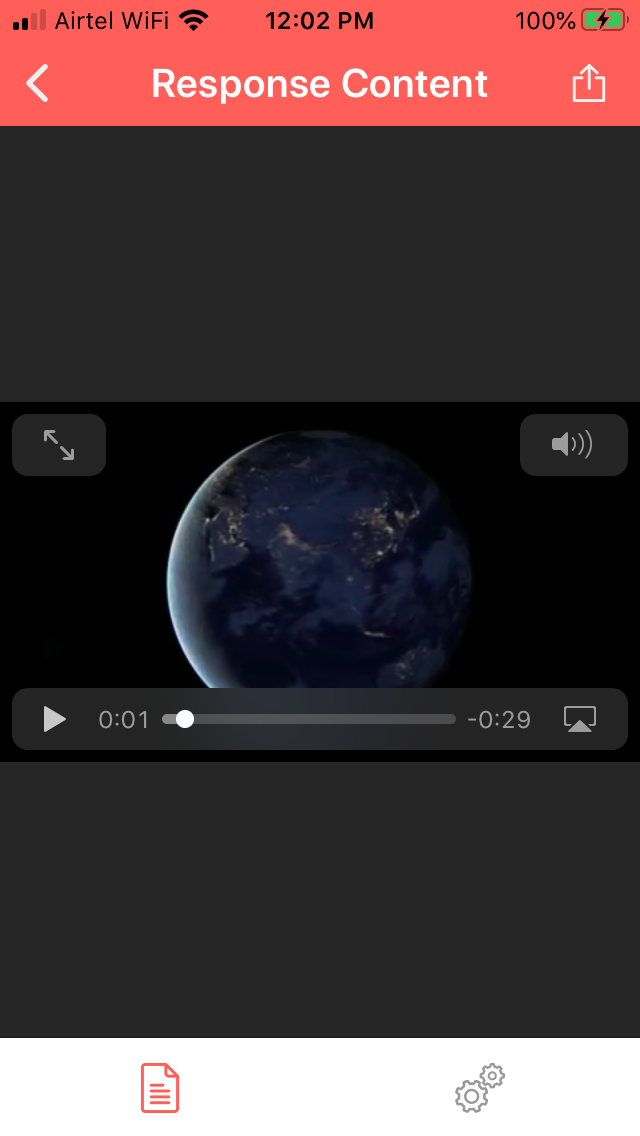 |
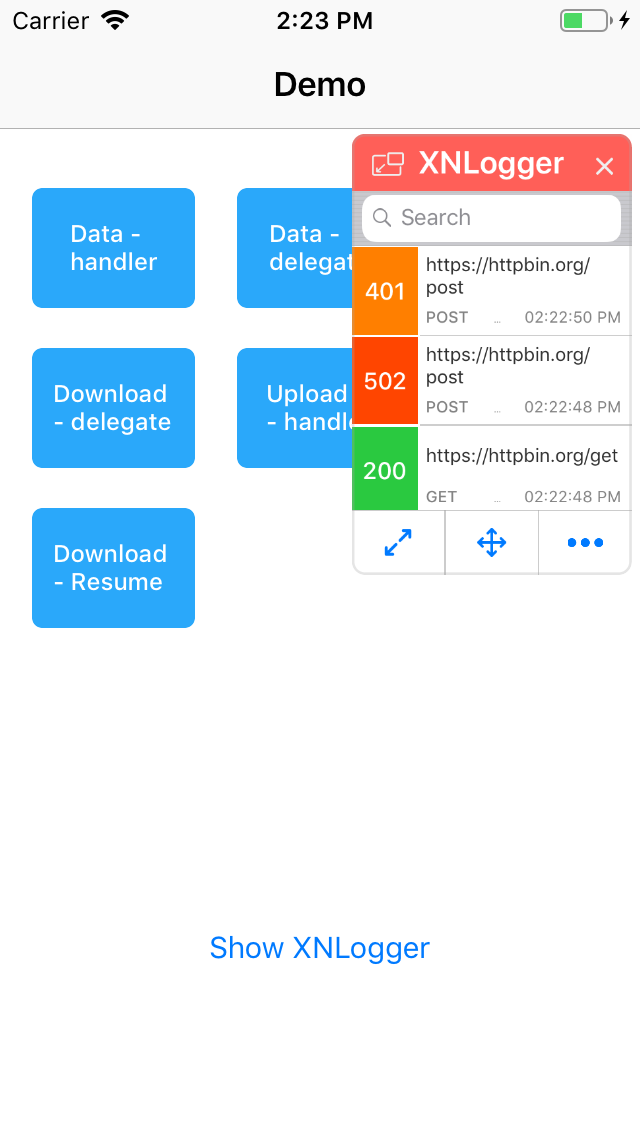 |
// 1. Start logging (in AppDelegate or @main App init)
#if DEBUG
XNLogger.shared.startLogging()
#endif

// 2. That's it! Shake your device or press Ctrl+X in the Simulator to view logs.

// Optional: Add a console handler to also print logs in Xcode console
let consoleHandler = XNConsoleLogHandler.create()
XNLogger.shared.addLogHandlers([consoleHandler])
For SwiftUI apps, attach the logger sheet to your root view:
@main
struct MyApp: App {
    init() {
        #if DEBUG
        XNLogger.shared.startLogging()
        XNUIManager.shared.startGesture = .none // Use SwiftUI shake instead of UIKit
        #endif
    }

    var body: some Scene {
        WindowGroup {
            ContentView()
                .xnLoggerSheet() // Shows logger UI on device shake
        }
    }
}iOS 15.0 or later
pod 'XNLogger'To integrate only for debug configuration:
pod 'XNLogger', :configurations => ['Debug']Add XNLogger to your project via Xcode:
- Go to File > Add Package Dependencies
- Enter the repository URL:
https://github.com/sunilsharma08/XNLogger.git - Choose your version rules (e.g., "Up to Next Major" from 4.0.0)
Note: When using SPM, auto-start is not available. You must manually call
XNLogger.shared.startLogging(). See Quick Start.
github "https://github.com/sunilsharma08/XNLogger"
Drag the folder "XNLogger" with the source files into your project.
- Remove file called "Info.plist" inside folder "XNLogger", you might get error due to this.
- Go to file "XNLoader.m" and replace import statement from
"XNLogger/XNLogger-Swift.h"to<Your-app-target-name>-Swift.h. For example your app target name is AwesomeApp, then import statement will be
#import "AwesomeApp-Swift.h"For more details on how to bridge swift code in Objective-C file check this apple doc - Importing Swift into Objective-C
To ensure XNLogger is completely excluded from release builds:
CocoaPods:
pod 'XNLogger', :configurations => ['Debug']SPM / Carthage / Manual -- wrap all XNLogger usage in #if DEBUG:
#if DEBUG
import XNLogger
#endif- Logs all network traffic automatically via
URLSessioninterception - Works with Alamofire & AFNetworking without extra configuration
- Memory-efficient disk-based logging to prevent crashes from large payloads
- Swift 6 concurrency safe (
Sendableconformance throughout) - Swift & Objective-C compatibility
- In-app log browser via shake gesture or
Ctrl+Xkeyboard shortcut - Mini view mode (picture-in-picture) -- resizable and draggable
- Share logs via email, AirDrop, or clipboard
- Save log files to desktop when running on Simulator
- SwiftUI support with
.xnLoggerSheet()modifier andXNLoggerView() - iPhone and iPad support
- Built-in handlers: Console, File, Remote, Slack
- Multiple handlers can run simultaneously
- Custom handler support via
XNLogHandlerprotocol - Per-handler filters -- each handler can have independent filter rules
- AsyncStream-based log observation for Swift concurrency
- Combine publisher for reactive log observation
- Delegate-based callbacks (
XNLoggerDelegate)
- Filters by scheme (
http,https), host (www.example.com), or substring match - Invert any filter to exclude instead of include
- Filters can be added or removed dynamically at runtime
- Log formatter to control exactly which fields are logged
With CocoaPods, logging starts automatically after integration. With SPM, Carthage, or manual integration, call startLogging() in your app launch code. Press Ctrl+X or shake the device/simulator to view logs in-app.
XNLogger.shared.startLogging()XNLogger.shared.stopLogging()To use logger only for debug builds, wrap in preprocessor macros:
#if DEBUG
    XNLogger.shared.startLogging()
#endifXNUIManager.shared.presentUI()XNUIManager.shared.dismissUI()XNUIManager.shared.clearLogs()By default, Ctrl+X toggles the logger UI in the Simulator. To use a different shortcut:
XNUIManager.shared.registerShortcutKey("d", modifierFlags: [.command])Attach the .xnLoggerSheet() modifier to your root view. The logger UI will appear as a sheet when the device is shaken.
@main
struct MyApp: App {
    init() {
        XNLogger.shared.startLogging()
        // Disable UIKit shake gesture to avoid duplicate UI
        XNUIManager.shared.startGesture = .none
    }

    var body: some Scene {
        WindowGroup {
            ContentView()
                .xnLoggerSheet()
        }
    }
}Use XNLoggerView() directly in a .sheet() or .fullScreenCover():
@State private var showLogger = false

var body: some View {
    Button("Show Logs") { showLogger = true }
        .sheet(isPresented: $showLogger) {
            XNLoggerView()
        }
}XNLogger ships with four built-in handlers. You can use any combination simultaneously.
| Handler | Class | Purpose |
|---|---|---|
| Console | XNConsoleLogHandler |
Prints logs to Xcode console |
| File | XNFileLogHandler |
Writes logs to rotating files on disk |
| Remote | XNRemoteLogHandler |
Sends logs via HTTP POST to a custom server |
| Slack | XNSlackLogHandler |
Posts logs to a Slack channel via webhook |
let consoleHandler = XNConsoleLogHandler.create()
XNLogger.shared.addLogHandlers([consoleHandler])let fileHandler = XNFileLogHandler.create() // Default file name: "XNNetworkLog"
// Or with a custom file name:
let fileHandler = XNFileLogHandler.create(fileName: "AppNetworkLogs")
// Configuration (optional)
fileHandler.maxFileSize = 1024 // Max file size in KB (default: 1024 = 1 MB)
fileHandler.maxFileCount = 4 // Max number of rotated log files (default: 4)
XNLogger.shared.addLogHandlers([fileHandler])Send logs to your own server. The handler appends log content to the HTTP body of the provided URLRequest under the key "xn-log-msg".
var request = URLRequest(url: URL(string: "https://your-server.com/logs")!)
request.httpMethod = "POST"
request.setValue("application/json", forHTTPHeaderField: "Content-Type")

let remoteHandler = XNRemoteLogHandler.create(urlRequest: request)
XNLogger.shared.addLogHandlers([remoteHandler])
Requests made by the Remote handler are excluded from XNLogger interception, so they will not appear in your logs.
Send logs directly to a Slack channel using an Incoming Webhook URL.
let slackHandler = XNSlackLogHandler.create(
    webhookUrl: "https://hooks.slack.com/services/YOUR/WEBHOOK/URL"
)
XNLogger.shared.addLogHandlers([slackHandler])
Requests made by the Slack handler are excluded from XNLogger interception.
Create your own handler by conforming to the XNLogHandler protocol. Subclassing XNBaseLogHandler is recommended as it provides filter management and the shouldLogRequest / shouldLogResponse convenience methods.
class MyCustomHandler: XNBaseLogHandler, XNLogHandler {

    static func create() -> MyCustomHandler {
        return MyCustomHandler()
    }

    func xnLogger(logRequest logData: XNLogData) {
        guard shouldLogRequest(logData: logData) else { return }
        // Handle request
        print("Request to: \(logData.urlRequest.url?.absoluteString ?? "")")
    }

    func xnLogger(logResponse logData: XNLogData) {
        guard shouldLogResponse(logData: logData) else { return }
        // Handle response
        let status = (logData.response as? HTTPURLResponse)?.statusCode ?? 0
        print("Response [\(status)]")
    }
}

XNLogger.shared.addLogHandlers([MyCustomHandler.create()])XNLogger.shared.removeHandlers([consoleHandler])
// Or remove all:
XNLogger.shared.removeAllHandlers()Filters control which network requests are logged. They can be applied at two levels:
- Logger-level (
XNLogger.shared.addFilters) -- requests that don't pass are completely ignored by all handlers and do not appear in the in-app UI. - Handler-level (
handler.addFilters) -- requests are still recorded but only logged by handlers whose filters they pass. Filters on one handler do not affect other handlers.
| Filter | Class | Matches |
|---|---|---|
| Scheme | XNSchemeFilter(scheme:) |
URL scheme (http, https) |
| Host | XNHostFilter(host:) |
URL host (www.example.com) |
| Contains | XNContainsFilter(filterString:) |
Any substring in the full URL |
let httpsOnly = XNSchemeFilter(scheme: "https")
XNLogger.shared.addFilters([httpsOnly])XNLogger.shared.removeFilters([httpsOnly])let host = XNHostFilter(host: "www.example.com")
consoleHandler.addFilters([host])consoleHandler.removeFilters([host])Filter by any substring in the URL:
let apiFilter = XNContainsFilter(filterString: "/api/v2/")
XNLogger.shared.addFilters([apiFilter])Any filter can be inverted to exclude matching URLs instead of including them:
let excludeHTTP = XNSchemeFilter(scheme: "http", invert: true)
// Logs only HTTPS requests
Or set the property after creation:
let filter = XNSchemeFilter(scheme: "http")
filter.invert = trueBy default, the logger logs all information except binary data. These settings can be adjusted per requirement. The formatter controls what fields to log and what to skip.
Formatter class XNLogFormatter has the following properties:
public var showRequest: Bool = true // Hide or show requests log.
public var showResponse: Bool = true // Hide or show response log.
public var showReqstWithResp: Bool = false // Show request with response, useful when `showRequest` is disabled.
public var showCurlWithReqst: Bool = true // Show curl request with request log.
public var showCurlWithResp: Bool = true // Show curl request when url request is displayed with response.
public var prettyPrintJSON: Bool = true // Log pretty printed json data.
public var logUnreadableRespBody: Bool = false // Show binary data like image, video, etc in response.
public var logUnreadableReqstBody: Bool = false // Show binary data like image, video, etc in request body.
public var showReqstMetaInfo: [XNRequestMetaInfo] = XNRequestMetaInfo.allCases // Details to be displayed in request log portion.
public var showRespMetaInfo: [XNResponseMetaInfo] = XNResponseMetaInfo.allCases // Details to be displayed in response log portion.
public var showReqstMetaInfoWithResp: [XNRequestMetaInfo] = XNRequestMetaInfo.allCases // Details to display for request when display as response portion.Use logStream to observe log events with Swift concurrency. Each caller gets an independent stream that auto-cancels when the Task is cancelled.
.task {
    for await event in XNLogger.shared.logStream {
        switch event {
        case .request(let logData):
            print("Request: \(logData.urlRequest.url?.absoluteString ?? "")")
        case .response(let logData):
            let status = (logData.response as? HTTPURLResponse)?.statusCode
            print("Response [\(status ?? 0)]: \(logData.urlRequest.url?.absoluteString ?? "")")
        }
    }
}Use logPublisher to subscribe to log events reactively:
import Combine

var cancellables = Set<AnyCancellable>()

XNLogger.shared.logPublisher
    .sink { event in
        switch event {
        case .request(let logData):
            print("Request: \(logData.urlRequest.url?.absoluteString ?? "")")
        case .response(let logData):
            print("Response: \(logData.urlRequest.url?.absoluteString ?? "")")
        }
    }
.store(in: &cancellables)For traditional callback-based observation, use XNLoggerDelegate:
class NetworkMonitor: NSObject, XNLoggerDelegate {

    func startMonitoring() {
        XNLogger.shared.delegate = self
    }

    func xnLogger(didStartRequest logData: XNLogData) {
        print("Started: \(logData.urlRequest.url?.absoluteString ?? "")")
    }

    func xnLogger(didReceiveResponse logData: XNLogData) {
        let status = (logData.response as? HTTPURLResponse)?.statusCode ?? 0
        print("Completed [\(status)]: \(logData.urlRequest.url?.absoluteString ?? "")")
    }
}
Note: The delegate is a
weakproperty. Only one delegate can be active at a time. For multiple observers, uselogStreamorlogPublisherinstead.
- Does not log background URLSession tasks.
- WKWebView URLs will not be logged.
Working on logging background tasks and WKWebView URLs without using any private API. These limitations may be removed in future releases.
Feel free to raise a PR for any bug fixes, features, or enhancements. When you are done with changes, raise a PR to the develop branch.
Another way to contribute to the project is to send a detailed issue when you encounter a problem. In bug details please provide steps to reproduce and some other details like Swift version, URL (if possible), URLSession configuration, etc.


If you find XNLogger useful, please consider giving it a star on GitHub. It helps others discover the project and motivates continued development and maintenance.
XNLogger is available under the MIT license.