

This repository aims to demonstrate the kedro-dagster plugin in the context of a real‑world, deployed Kedro project. For a full user guide centered around this example repository, see the Kedro-Dagster documentation.
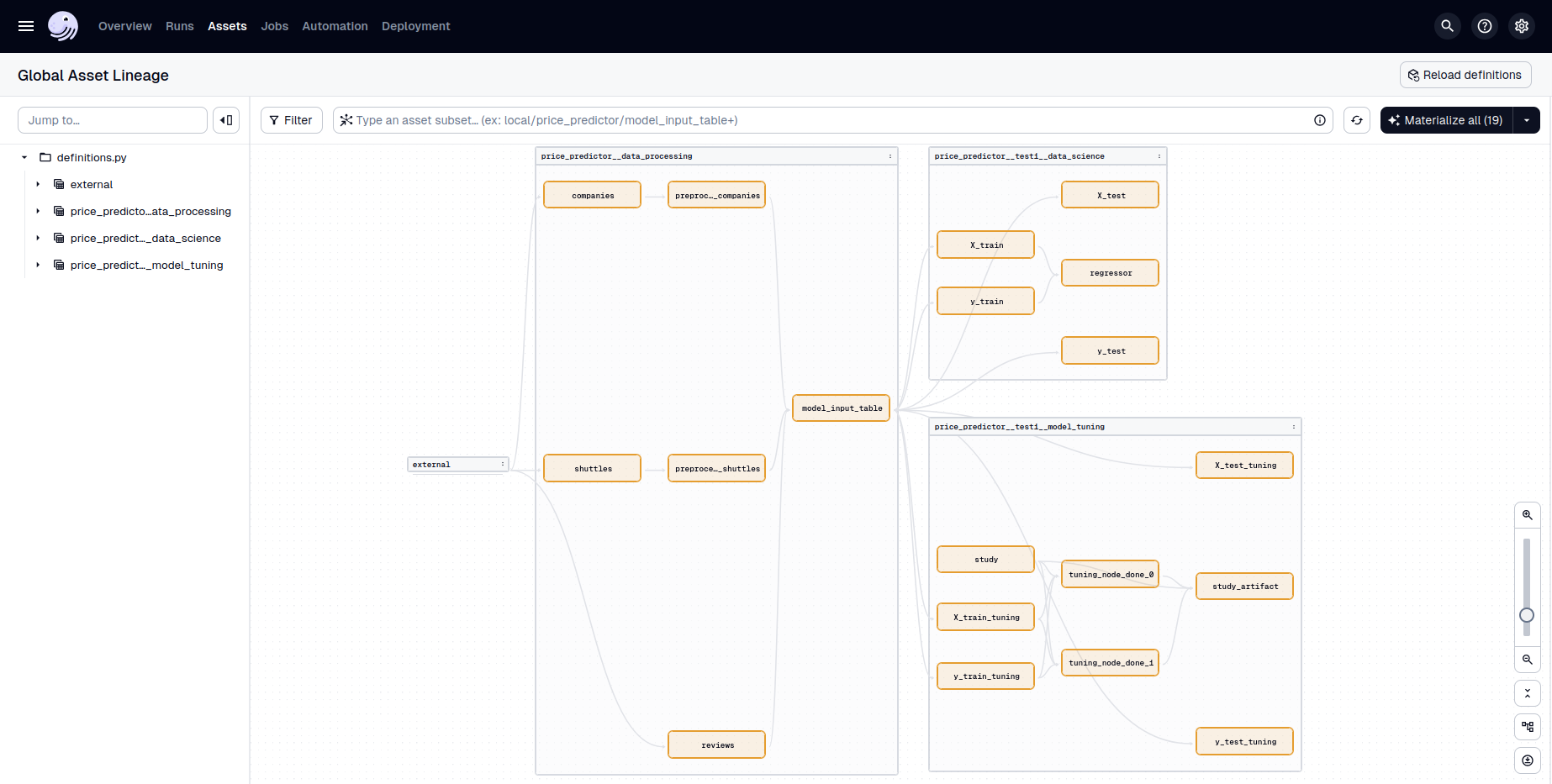
This repo builds on the Kedro Spaceflights tutorial, augmented with dynamic pipelines following the GetInData blog post.
Note
Here, parameters for dynamic pipelines are namespaced via YAML inheritance rather than a custom merge resolver.
Additionally, this project makes use of:
mlflowvia thekedro-mlflowplugin for experiment tracking, model registry, and deployment.optunathrough a new Kedro dataset. See theoptuna.StudyDatasetdocumentation for details.
A variety of Kedro environments highlight how a Kedro + Dagster deployment might look. We assume that each pipeline can be at a different stage—under development, in staging, or in production. The logic for separating dynamic pipelines across environments lives in settings.py and pipeline_registry.py. The available environments are:
- local: for developing and running all pipelines on local data.
- dev: for testing new or updated pipelines with larger datasets.
- staging: for pipelines ready for production‑like conditions before going live.
- prod: for fully deployed pipelines running in production.
In this repo, each environment’s catalog.yml points to local data. In practice, you might keep local data only in local and configure remote datasets for dev, staging, and prod.
Note
You may also choose to use separate Git branches for prod, staging, and various dev environments. This enables more controlled deployments and easier rollbacks.
This project uses uv for packaging and dependency management. To install:
-
Follow the uv installation instructions.
-
Run the following to sync dependencies (from
uv.lock) into a new virtual environment:uv sync
-
Activate the virtual environment:
source .venv/bin/activate
This repository already comes with kedro-dasgter initialized for each of the available Kedro environments. In practice, this means there is no need to run
kedro dagster init --env <KEDRO_ENV>and the definitions.py file along with the conf/<KEDRO_ENV>/dagster.yml configuration files for each Kedro environment are already provided.
conf/logging.yml uses kedro-dagster's formatter classes. Kedro only imports logging classes from allowlisted modules, so export this before running any Kedro command:
export KEDRO_LOGGING_MODULE_ALLOWLIST=kedro_dagsterCI and the Docker image already set it.
You can run the Kedro pipelines using kedro run as usual
uv run kedro run --env KEDRO_ENVassuming KEDRO_ENV is an environmental variable set to your target environment (e.g. local)
To explore the pipelines in the Dagster UI:
kedro dagster dev --env <KEDRO_ENV>You’ll see your Kedro datasets as Dagster assets and your pipelines as Dagster jobs.
The dev environments require a Postgres database. You can run one locally using Docker:
docker compose -f docker/dev.docker-compose.yml up -dThen, set the appropriate environment variables so that the Kedro catalog can connect to the database:
export POSTGRES_USER=dev_db
export POSTGRES_PASSWORD=dev_password
export POSTGRES_HOST=localhost
export POSTGRES_PORT=5432
Finally, run the Dagster UI for the desired environment:
kedro dagster dev --env devEach Kedro environment maps to its own Dagster code location. If you’re using Dagster on Kubernetes, build a separate Docker image per environment (e.g., local, dev, staging, prod).
# Example Docker build for the staging environment
docker build \
  --build-arg KEDRO_ENV=staging \
  -t myrepo/kedro-dagster:staging .
See kedro-docker for more information on how to create a Docker image for your Kedro project.