Apache Kylin Python Client Library is a python-based Apache Kylin client.
Any application that uses SQLAlchemy can now query Apache Kylin with this Apache Kylin dialect installed.
The easiest way to install Apache Kylin Python Client Library is to use pip:
pip install kylinpy
alternative, install by offline tarball package:
# download from https://pypi.org/project/kylinpy/#files
pip install kylinpy-<version>.tar.gz
- Column reflection keeps the scale of
DECIMAL(p, s)when Kylin reports it with a space after the comma (as its/tables_and_columnsmetadata does), instead of reflectingDECIMAL(p). TIMESTAMP(n)reflects as a timezone-naiveTIMESTAMP; the fractional seconds precision was being passed as SQLAlchemy'stimezoneflag;DATETIME(n)likewise reflects as a timezone-naiveDATETIME.- Integer types reported with a display width (
INTEGER(11),BIGINT(20),TINYINT(4)) reflect asINTEGER/BIGINT/SMALLINTinstead of raisingTypeError. DOUBLE(p, s)/FLOAT(p, s)reflect asFLOAT(p); the scale was being passed as SQLAlchemy'sasdecimalflag, so values came back asDecimal.
- A
%that is not a placeholder is sent as literal SQL. Only%(name)s,%sand%%are interpreted when parameters are given, soexec_driver_sql("... LIKE 'a%'")works, and a literal%sis never consumed by a parameter mapping. Missing or surplus parameters raiseProgrammingError. - Timezone-aware
datetimeparameters raiseProgrammingError: KylinTIMESTAMPliterals carry no zone and Calcite rejects an offset. Pass a naivedatetimein the time zone of the stored data. has_tablematches names case-insensitively and, when a schema is given, checks the single table instead of downloading the project catalog.
This fork release supports SQLAlchemy 1.4.24 and later, including SQLAlchemy 2.0.
- Reflection (
get_schema_names,get_table_names,get_columns) andInspector.has_tablework under SQLAlchemy 2.has_tablenow reports whether the table exists instead of always returningFalse. - Core
select()statements compile and execute under SQLAlchemy 2, and the dialect opts in to SQLAlchemy's compiled-statement cache. - DB-API parameters (
pyformat, as used by SQLAlchemytext()binds) are rendered client-side as SQL literals, because Kylin's query API accepts SQL text only.None, booleans, integers, finite floats and decimals,date,datetimeand strings are supported; other types raiseProgrammingError. DECIMALresults are returned asdecimal.Decimalinstead offloat, so exact values are no longer rounded.- Importing the dialect no longer changes identifier quoting for other SQLAlchemy dialects; Calcite keywords apply to Kylin's own preparer only.
Any application that uses SQLAlchemy can now query Apache Kylin with this Apache Kylin dialect installed.
You may use below template to build DSN to connect Apache Kylin:
kylin://<username>:<password>@<hostname>:<port>/<project>?<param1>=<value1>&<param2>=<value2>
| DSN Fields | Default | Allow omitted |
|---|---|---|
| username | null | false |
| password | null | false |
| hostname | null | false |
| port | 7070 | true |
| project | null | false |
DSN query string config is as follows
| Fields | Default Value | Optional value | Description |
|---|---|---|---|
| is_ssl | 0 | 0|1 | Is the Kylin cluster enabled for https |
| prefix | /kylin/api | string | Kylin cluster API prefix |
| timeout | 30 | integer > 0 | HTTP timeout with Kylin cluster |
| version | v1 | v1|v2|v4 | v1 == using Apache Kylin API v2 == using Kyligence Enterprise 3 API v4 == using Kyligence Enterprise 4 API |
| is_pushdown | 0 | 0|1 | If enabled, viewing a project table will use the hive source table |
| is_debug | 0 | 0|1 | Whether to enable debug mode |
$ python
>>> import sqlalchemy as sa
>>> kylin_engine = sa.create_engine('kylin://ADMIN:KYLIN@sandbox/learn_kylin?timeout=60&is_debug=1')
>>> results = kylin_engine.execute('SELECT count(*) FROM KYLIN_SALES')
>>> [e for e in results]
[(4953,)]
>>> kylin_engine.table_names()
[u'KYLIN_ACCOUNT',
 u'KYLIN_CAL_DT',
 u'KYLIN_CATEGORY_GROUPINGS',
 u'KYLIN_COUNTRY',
 u'KYLIN_SALES',
 u'KYLIN_STREAMING_TABLE']
$ python
 >>> import sqlalchemy as sa
 >>> import pandas as pd
 >>> kylin_engine = sa.create_engine('kylin://ADMIN:KYLIN@sandbox/learn_kylin?timeout=60&is_debug=1')
 >>> sql = 'select * from kylin_sales limit 10'
 >>> pd.read_sql(sql, kylin_engine)
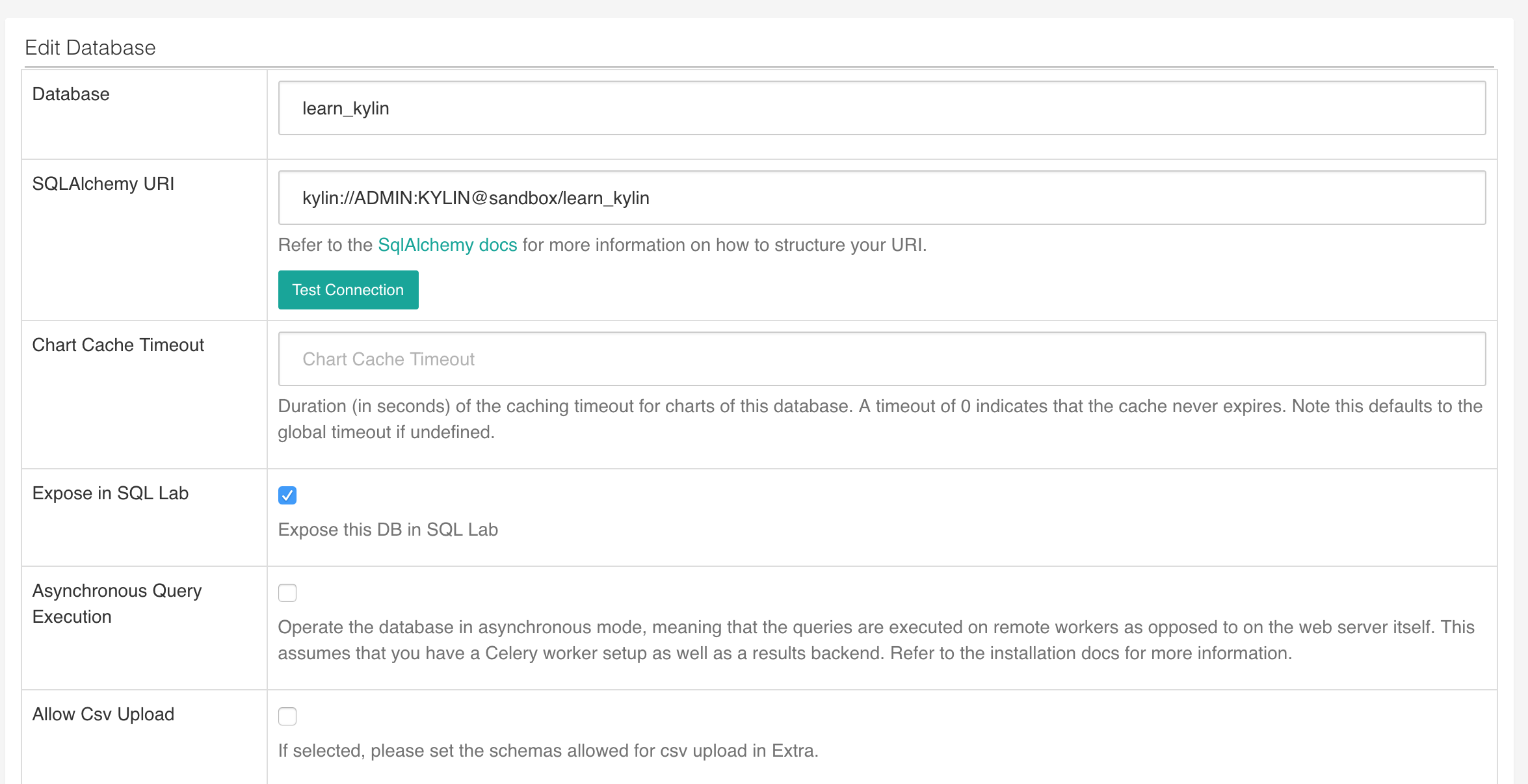
Now you can configure the DSN in your application to establish the connection with Apache Kylin.
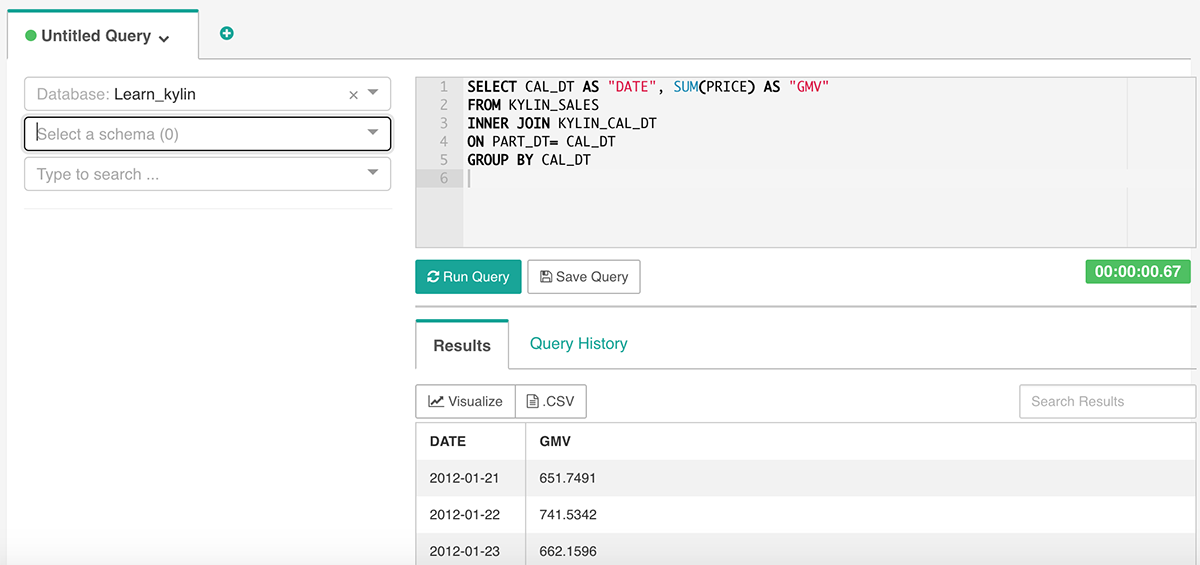
For example, you may install Apache Kylin Python Client Library in your Superset environment and configure connection to Apache Kylin in Superset
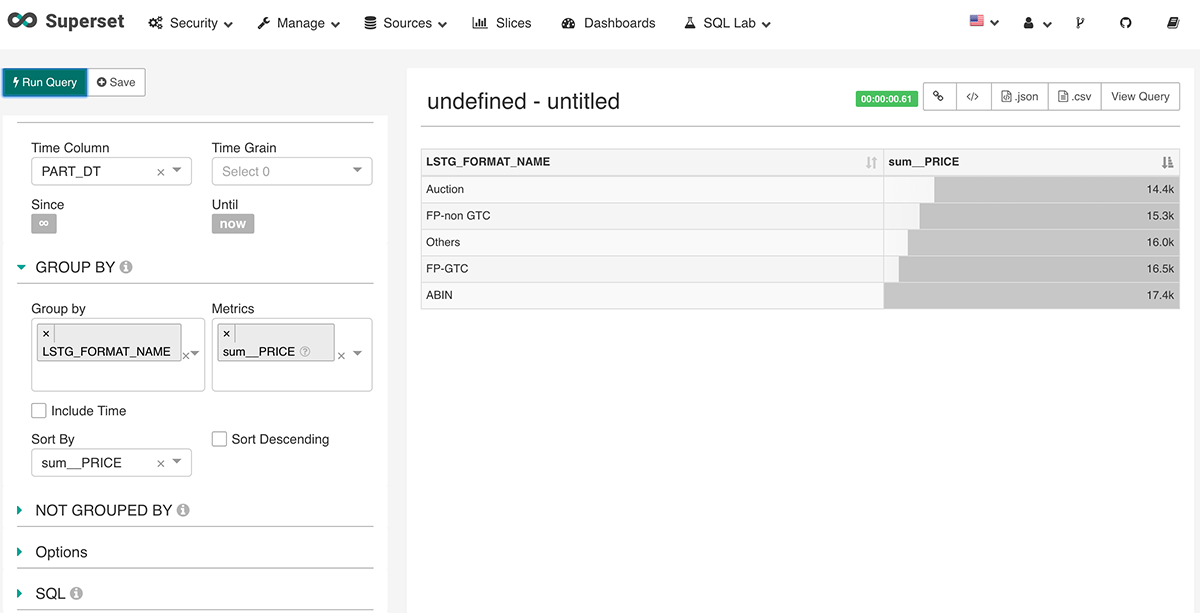
then you may be able to query Apache Kylin one table at a time from Superset
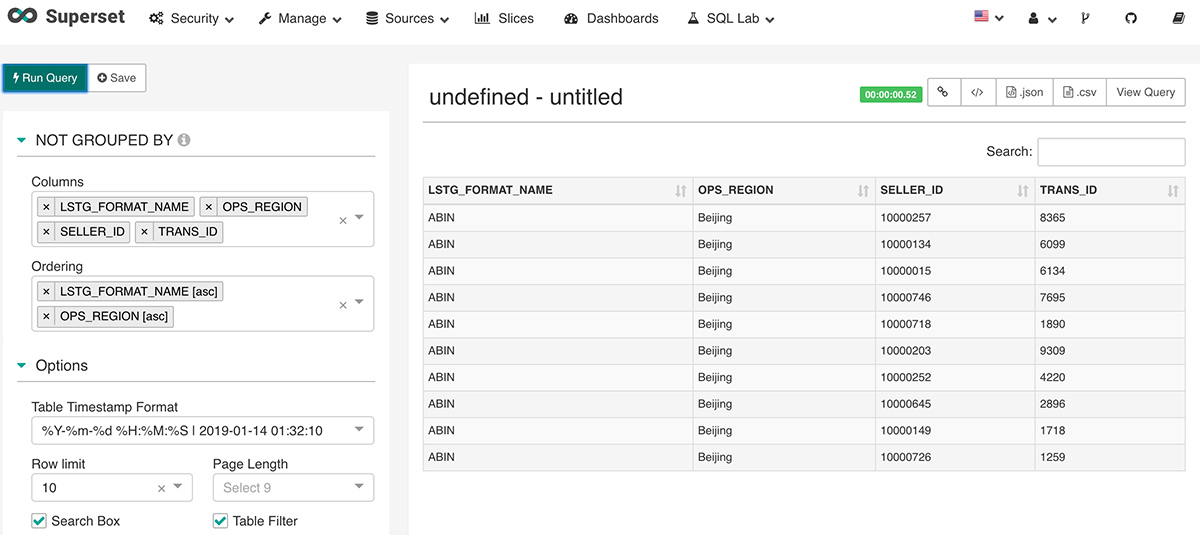
you may also be able to query detail data
Alternatively, you may also be able to query multiple tables from Apache Kylin by using SQL Lab in Superset.