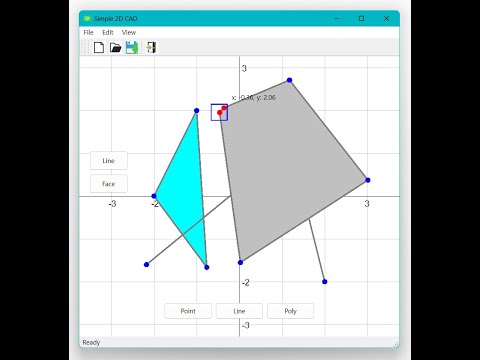
Simple 2D CAD Result Image Video Project Class Structure Objects Practice project development skills Practice C++, QT, etc. Study project design pattern Apply coding convention Prerequisite Tool Version C++ >= 17 QT 6.6.0 Visual Studio 17.7.5 OS Windows 11 Program Build and Run Install Visual Studio 2022 Install Desktop development with C++ Install QT 6.6.0 with MSVC Install Visual Studio QT Extension Visual Studio > Extensions > Manage Extensions > Qt Visual Studio Tools install Tools > Options > Qt > Versions > + Add qmake.exe path with Path button (ex. C:/Qt/6.6.0/msvc2019_64/bin/qmake.exe) Repository clone git clone git@github.com:habi-ze/simple-2d-cad.git Open simple-2d-cad.sln Solution Build and Run Implementation List Draw Draw Line Draw Face Using mouse left button Select (Default) Select Point Select Line Select Face Using mouse left button File I/O New scene Open scene (.json) Save scene (.json) Others Move (Pan) Zoom Using mouse right and wheel button