Conversation


…ot specify the aspect ratio in the file name.

Replacing images with fixed aspect ratios with similar ones that do not specify the aspect ratio in the file name.

This resolves the issue WordPress#542 of the page being too narrow and too tall at https://developer.wordpress.org/block-editor/explanations/user-interface/


|
The following accounts have interacted with this PR and/or linked issues. I will continue to update these lists as activity occurs. You can also manually ask me to refresh this list by adding the Unlinked AccountsThe following contributors have not linked their GitHub and WordPress.org accounts: @iiibrapn. Contributors, please read how to link your accounts to ensure your work is properly credited in WordPress releases. If you're merging code through a pull request on GitHub, copy and paste the following into the bottom of the merge commit message. To understand the WordPress project's expectations around crediting contributors, please review the Contributor Attribution page in the Core Handbook. |
🤖 PR meta 🤖👋 Welcome👋 Thanks for your first Pull Request and for helping build the future of Gutenberg and WordPress, @iiibrapn! In case you missed it, we'd love to have you join us in our Slack community. If you want to learn more about WordPress development in general, check out the Core Handbook full of helpful information. |
 github-actions
Bot
added
the
First-time Contributor
github-actions
Bot
added
the
First-time Contributor


| The block editor’s general layout uses a bar at the top, with content below. | ||
|
|
||
| 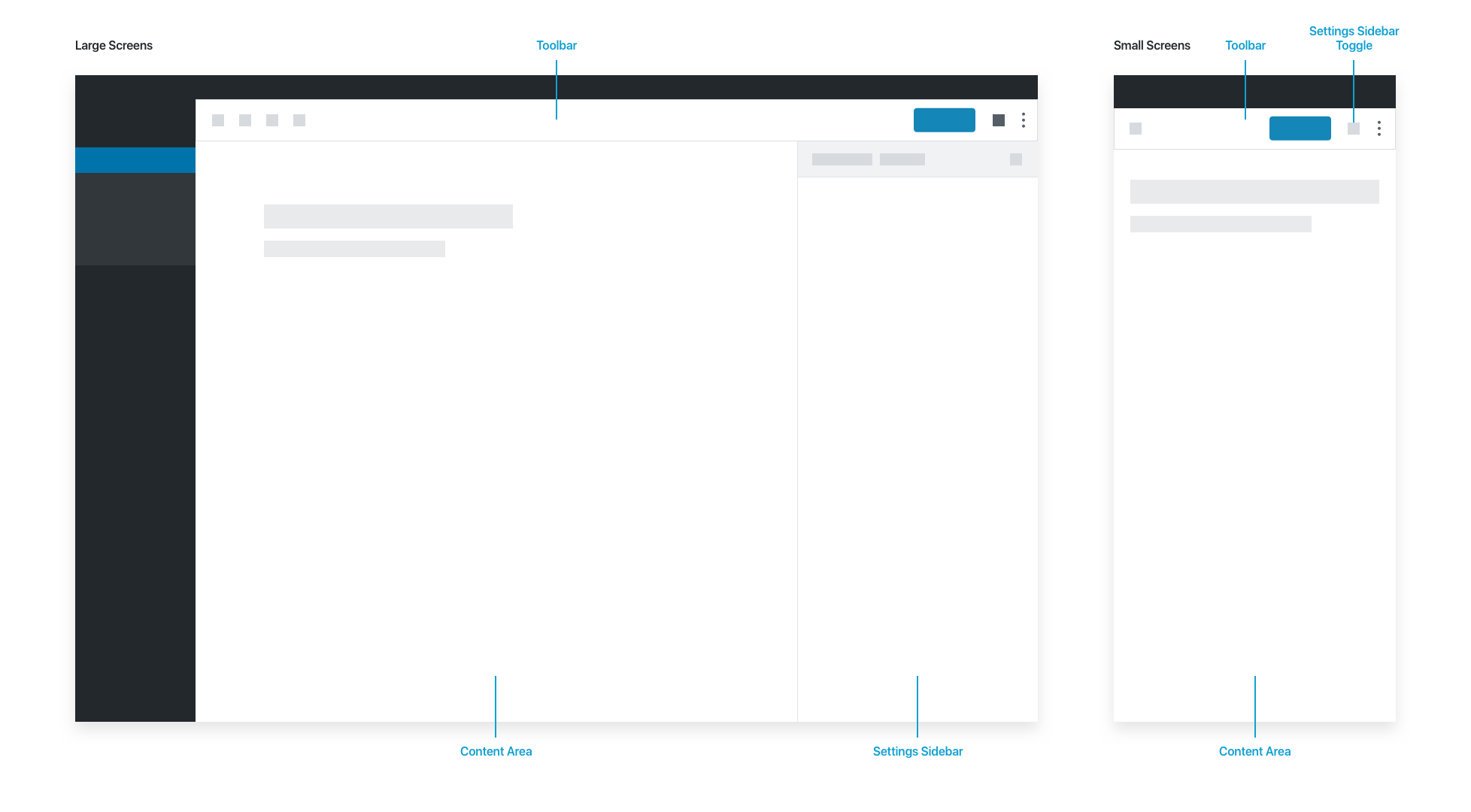 | ||
|  |

There was a problem hiding this comment.
Wondering if we should still use cldup to host.
What are the rules are about user-updated assets in Github?

There was a problem hiding this comment.
This README is published as part of the Block Editor Handbook. Therefore, based on this rule, I believe the media should be uploaded to the developer.wordpress.org Media Library.
There was a problem hiding this comment.
Ah thanks for spotting that.
I've asked in #docs. I've downloaded the images so will pass them on once I hear back.
3 participants


What?
Fixes WordPress/wporg-developer#542
This PR replaces the image URLs in the User Interface documentation with clean links that do not specify image dimensions in the file name.
Why?
Currently, the images on the User Interface page are severely distorted (too narrow and extremely tall). The site's parser extracts the
-3000x3000suffix from the original Cloudup image URLs and forces aheight="3000px"attribute.While humankind hasn't yet invented screens tall enough to easily view such images, fixing the URLs is a practical solution to restore the correct proportions.
How?
Re-uploaded the original images directly to GitHub to generate clean
user-attachmentsURLs. By loading images without dimensional suffixes, the front-end parser will stop assigning the hardcoded 3000px height, allowing the images to display correctly.Testing Instructions
README.mdfile.-3000x3000.png.developer.wordpress.orgonce the documentation repository syncs.Testing Instructions for Keyboard
N/A - Documentation update only.
Screenshots or screencast
Before

After

Here we can see that the image has inherited a height of 3000px, which is why it has been stretched out of proportion.