A minimal yet flexible general-purpose package manager for a variety of package types and OSs, geared toward installing and upgrading any CLI tool on any system. Based on a simple, single, shareable manifest INI file. Say goodbye to installation guides.
Pacrat does either of two simple things for any CLI-oriented package listed in
a Nestfile, depending on their state:
- install
- upgrade
What is a package? Almost anything!
Pacrat utilizes your OS's base package manager (dnf, apt, brew, etc),
and also enables installation via eget,
git-clone, docker/podman, plus ad hoc via curl/wget, gem, pip,
whatever. This means that your team of developers can be spread across several
OSs and not have to worry about what/how to install/update tooling.
One of Pacrat's big values is in checking (invoking) each package to glean its version and compare against vermin to ensure that tooling is consistent (up-to-date) across any machines that share a Nestfile.
Another great thing about Pacrat (much thanks to EGET and git) is that it
opens up the ability for any developer to throw a script/exe (or several) into
a tarball/zip or repo, post it as a Github "release", add it to the team
Nestfile with an eget or clone directive — and now the whole team is
immediately using the new tool without being told to do anything.
This makes Pacrat a tool well suited for use in a
post-checkout git-hook.
So you likely want to set that up with something like
Captain or
Lefthook.
Pacrat can even do a "literate config" with a Markdown file (like a Python
Notebook) that contains ini fenced code-blocks. Those get auto-converted
on-the-fly to a Nestfile that Pacrat uses. So now your team's "getting
started" guide is something that can be executed (and optionally read)!
Pacrat is a little like Ansible, but much simpler: controlled fully by a single INI-style config/manifest file (often shared by a team) containing a list of packages, and run only locally.
Other anti-features:
- no package database — just a Nestfile
- no version pinning — just a minimum (
vermin), to allow for native manager upgrades - no uninstalls (for now)
- no writing to the Nestfile (for now, but may feature prompting to update
vermin) - no dependency logic: eg, if you want Clojure, it's on you to specify Java before it
Pacrat is just a single pacrat script that you can grab and put
on your $PATH.
mkdir -p ~/.local/bin
path+=~/.local/bin
cd ~/.local/bin # assuming this is on your PATH
curl -o pacrat https://raw.githubusercontent.com/MicahElliott/pacrat/refs/heads/main/bin/pacrat
chmod +x pacrat
There are no install dependencies other than Zsh! Pacrat will bootstrap itself
with any necessary missing installers
(eget, podman,
unzip, wget, etc) on your first run. pacrat is a readable and tiny Zsh
script (500 lines, 20 kb).
The package spec config/manifest file is a single Nestfile or nest.ini
(think of a rat's nest) with a declarative syntax that is simply a bunch of
sections representing individual packages. You create a nest.ini at the root
of your project repo to keep your team's packages up-to-date and in-sync. You
can even use it personally in your ~/nest.ini to ensure every machine you
work on will have all your essentials installed.
Here are some package examples — first, a linter (clj-kondo):
[clj-kondo]
doc     = 'static analyzer and linter for Clojure code (https://github.com/clj-kondo/clj-kondo)'
cmd     = 'clj-kondo'
linux   = 'curl -sLO https://raw.githubusercontent.com/clj-kondo/clj-kondo/master/script/install-clj-kondo && chmod +x install-clj-kondo && ./install-clj-kondo'
brew    = 'borkdude/brew/clj-kondo'
verget  = 'clj-kondo --version | cut -f2 -d" "'
vermin  = '2024.11.14'
That section shows a package named clj-kondo and that:
- The installed command (
cmd) isclj-kondo, which will be installed if not already present (or upgraded depending onvermin) - On any Linux system,
curlis used to fetch and run an installer script - On a Macos system, a simple
brew install ...is used - The version (
verget) is obtained by running the tool and a little cut-parsing (thoughpacratalmost always can auto-infer it, sovergetis rarely needed) - An upgrade may be performed if the presently installed version is older
(gleaned version is older than
vermin)
See nest.ini for an extensive runnable example.
A very minimal (typical) example for a command runner (just):
[just]
doc = 'a command runner'
Even the doc isn't needed — it could have been a single line: [just].
Several implicit things happen here: After inferences, the actual spec
becomes:
[just]
cmd  = 'just'
pkg  = 'just'
brew = 'just'
dnf  = 'just'
apt  = 'just'
pkg  = 'just'
nix  = 'nixos.just' # nix-env -iA just
verget = '<...some magic...>'
So if those two are the extent of your nest.ini, now clj-kondo and just
will be installed by invoking pacrat:
% pacrat
Installing JUST...
Or if they are already installed, pacrat will prompt you to upgrade them.
You already rely on your language's manager for libraries (clj,
bundler/gem, pip, npm, etc), but for anything that isn't handled by
those and isn't already on your system (and your colleagues' systems), you
have pacrat. Example tools are endless but categories include: linters, data
migrators, aws/github/etc CLIs, parsers, debuggers, and many more. Some tools
I personally like to have (up-to-date) on every system: clj-kondo, cljfmt,
just, pgmig, direnv, clojure, markdownlint, podman, jq,
pgbouncer, ripgrep, sqlite, bat, curlie, dbeaver, fzf, redis,
ripgrep, yq, bbin.
Many of those expected tools are necessary for keeping a sizeable project in
ship-shape, so you want eveyone on your team to have appropriate versions of
them installed. You can put a nest.ini at the root of every major project
you work on. Even though such a file generally covers a system, it shouldn't
be a conflict to have several of them if you work on multiple projects.
The workflow of keeping a team's fleet of systems up-to-date then is:
-
Alice creates and adds a
nest.inifile to a project's git repo at the top level -
Bob does a dnf/brew upgrade (or git-pull or eget or ...) and discovers that he's running a newer version of
justthan what's spec'd innest.ini, so he adds the new version asvermin -
Carol pulls on the project (getting an update to
nest.ini) and runspacrat(maybe automatically via captain, and is prompted to upgrade to the newjustversion that Bob put in
Top level:
doc— short descriptiondetails— usually a link to project homepagecmd— the main CLI command that gets installed (its presence indicates it's already installed)file— used instead ofcmdfor special cases where no command is installedpath— aPATHentry that will be added to your running shell and its RC file
Installer modes (most override each other depending on OS):
clone— usegitto pull down source and keep up-to-date; overrides allclonedest— set a specific clone destination to overridePACRAT_CLONEbrew— used when on a MacOS system and brew presentdnf— used when on a RedHat-family systemapt— used when on a Debian-family systemnix— used when on a Nix-managed systemlinux— usually awgetorcurl, untar/unzip, compile,cpsequence; overrides anydnf,apt, etcmacos— same as^^^but for when running on mac; overridesbrewuni— "universal" general purpose target that can have any shell commandspost— a post-operation step performed after all others; can be done in any mode (eg, useful after a clone/pull)upgrade— special command for upgrading when standard package manager wouldn't know what to domanual— an instruction for how to manually get packages that cannot be auto-downloadedinstruct— present a blocking user instruction to take action before proceeding with run
Versioning:
vermin— ensure the package being installed is at least this newverget— optional, explicit way to helppacratdetermine the currently installed version
Sometimes you don't want Pacrat to control a package on your system. Maybe
it's a tool you wrote and you want the rest of your team to clone it, but you
want your own checkout to be different. For this, you can use the CSV env var
PACRAT_IGNORE.
PACRAT_NESTFILE—.inifile locationPACRAT_NONINTERACTIVE— set to anything to not be prompted before making changesPACRAT_DRYRUN— run without executing any install/upgrade commandsPACRAT_BASE— base directory for clones, archives, etc (default~/.pacrat)PACRAT_BIN— directory for binaries from eget (default~/.local/bin)PACRAT_CLONE— directory for git-clones (default$PACRAT_BASE/clone)PACRAT_UNI— directory for universal archives/extractions (default$PACRAT_BASE/uni)PACRAT_IGNORES— CSV of packages to be ignored innest.ini
If you're not ready to turn pacrat loose on your system just yet, try
running it in an isolated Podman container. A couple are already here for
testing: Fedora and Ubuntu. For
example:
# Build a fedora container
% cd ~/path/to/pacrat/clone
% podman image build --rm -t  pacrat-fedora -f Dockerfile-fedora .

# Run it
% podman container run -it --rm --name myfedpacrat -v ~/path/to/pacrat/clone:/data:Z localhost/pacrat-fedora:latest

# Set a password for "rat" user to do sudo things, and log in
[root@b7283479cd6e]/data# passwd rat
[root@b7283479cd6e]/data# sudo -iu rat

# Run pacrat
[rat@b7283479cd6e]~% cd /data
[rat@b7283479cd6e]~% ./pacrat
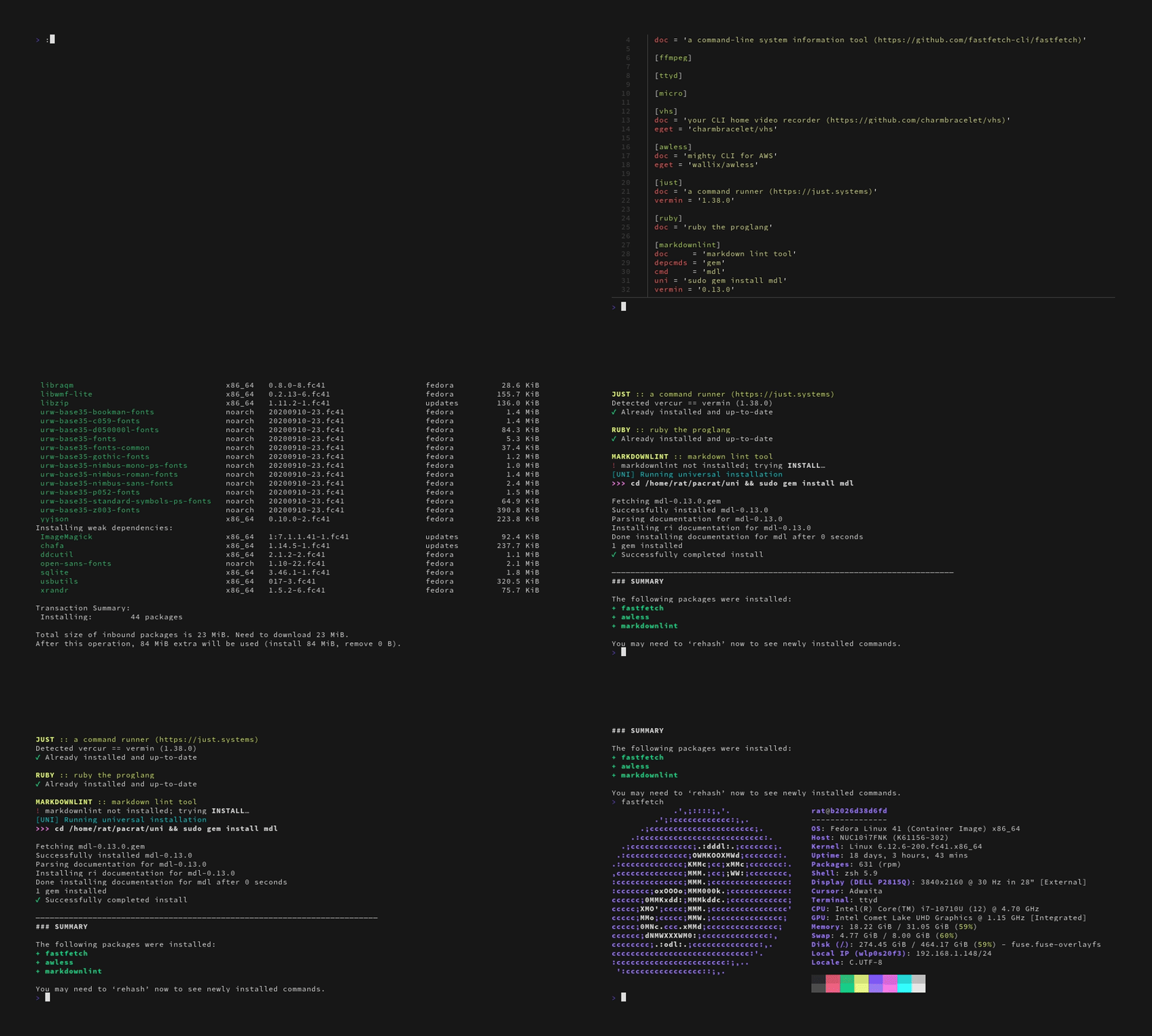
Running PACRAT ...I explored several alternatives when considering whether to create Pacrat. In the end, I decided Pacrat needed to exist since the following all had some weaknesses for my use case, or were too complex to get a team up and running quickly.