

The lite edition of Vantagraph. No preset palettes: every colour the theme paints is yours to set, from an editor that lives inside the app.



English · Türkçe · Español · 简体中文 · Русский
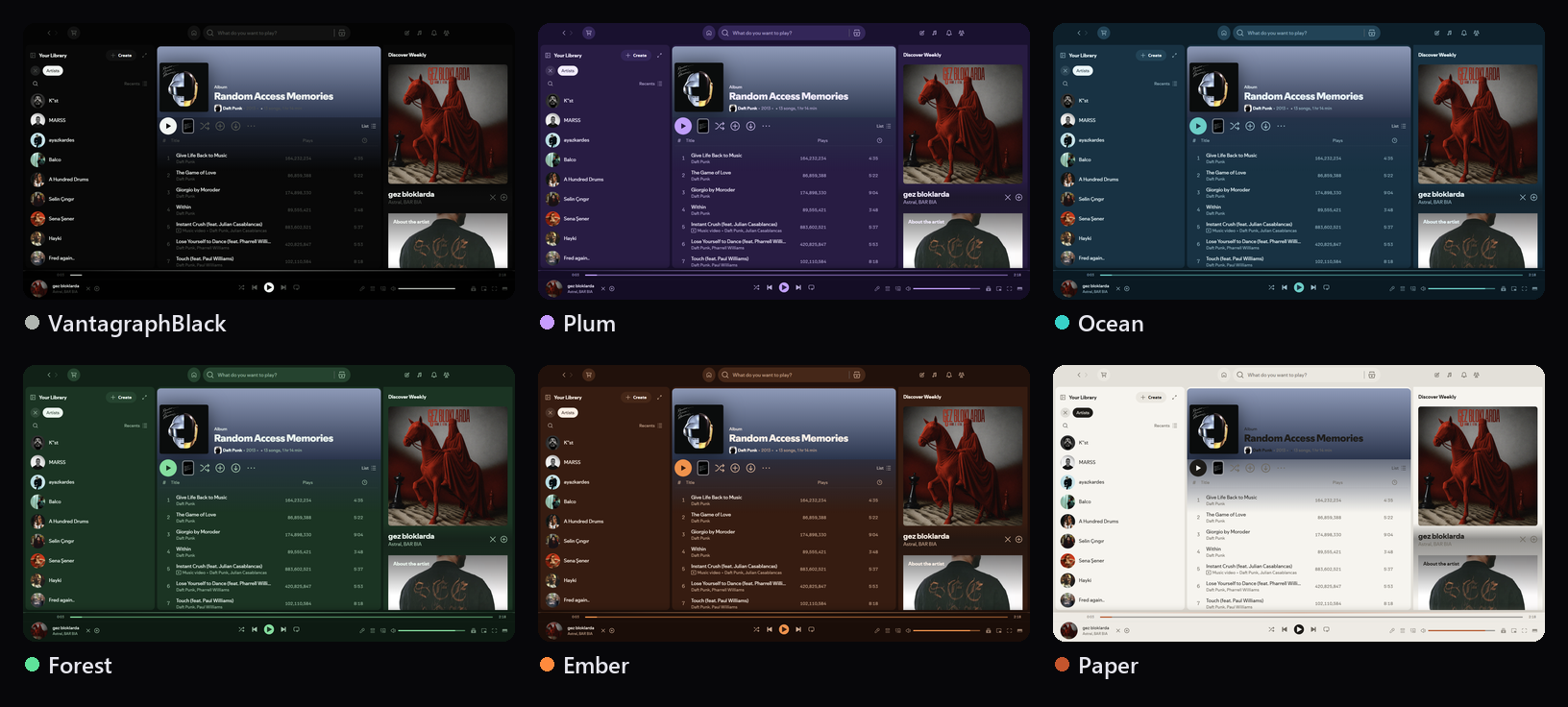
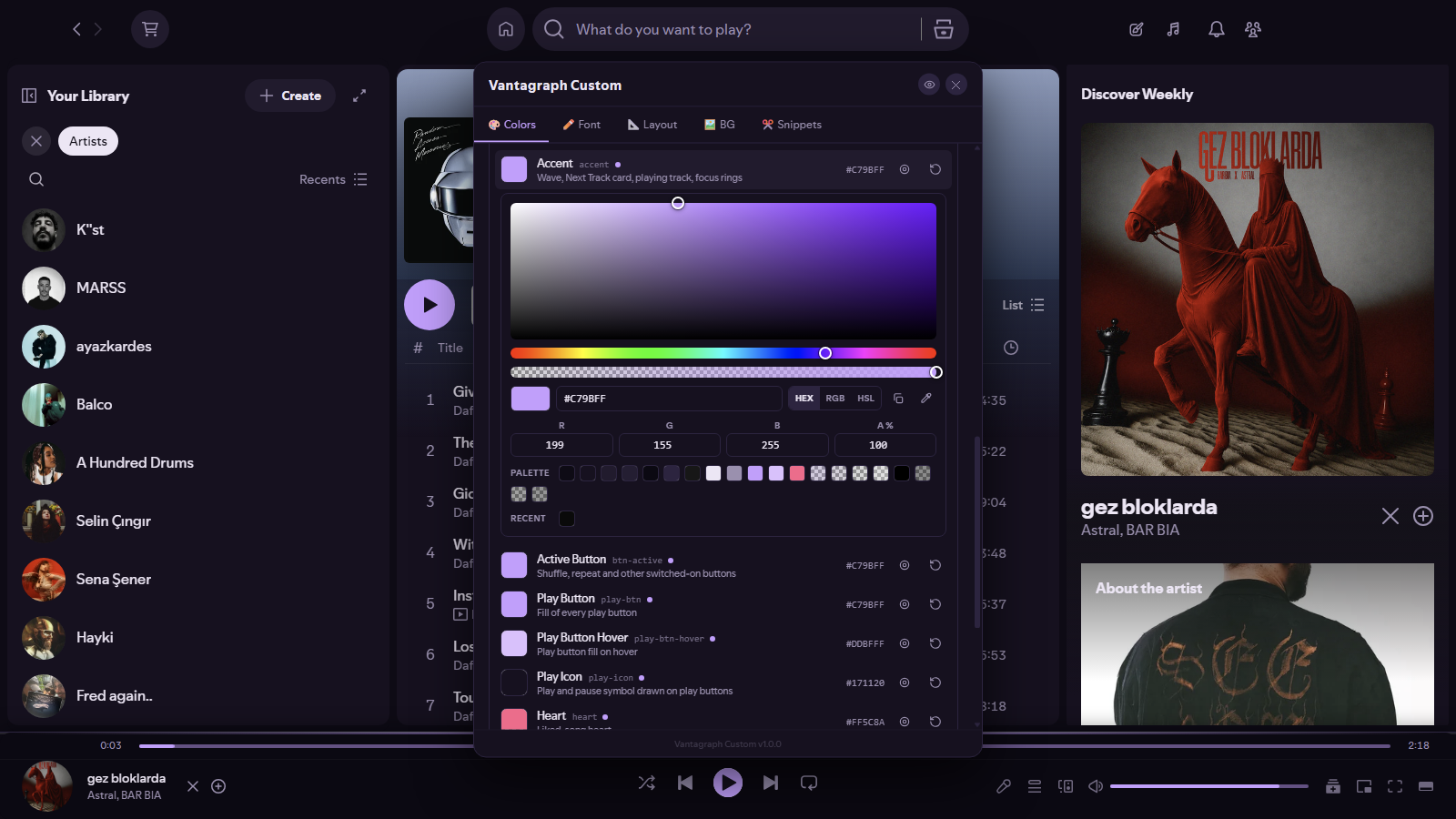
A colour editor, not a palette list. Thirty-six colours, grouped by where they paint: surfaces, text and icons, buttons, progress bars, lines and shadows, the glass tints used over a background image, and the few colours Spotify draws on its own. Each one takes HEX, RGB, RGBA or HSL, has its own opacity, and changes Spotify while you drag.
A picker that does the whole job. A saturation field, hue and opacity strips, an eyedropper that samples anything on screen, R G B A fields, typed values in any format, your palette and your recent picks as one-click swatches, undo and redo, and a search box.
Colours that follow each other until you say otherwise. Menu text follows Text, the icons follow Subtext, the play symbol follows Panel. Change the parent and they come along. Give one a value of its own and it stops following; one click links it back.
See where a colour paints. Press the target icon next to any colour and it blinks inside Spotify, so "Stroke" or "Glass Edge" never has to be a guess.
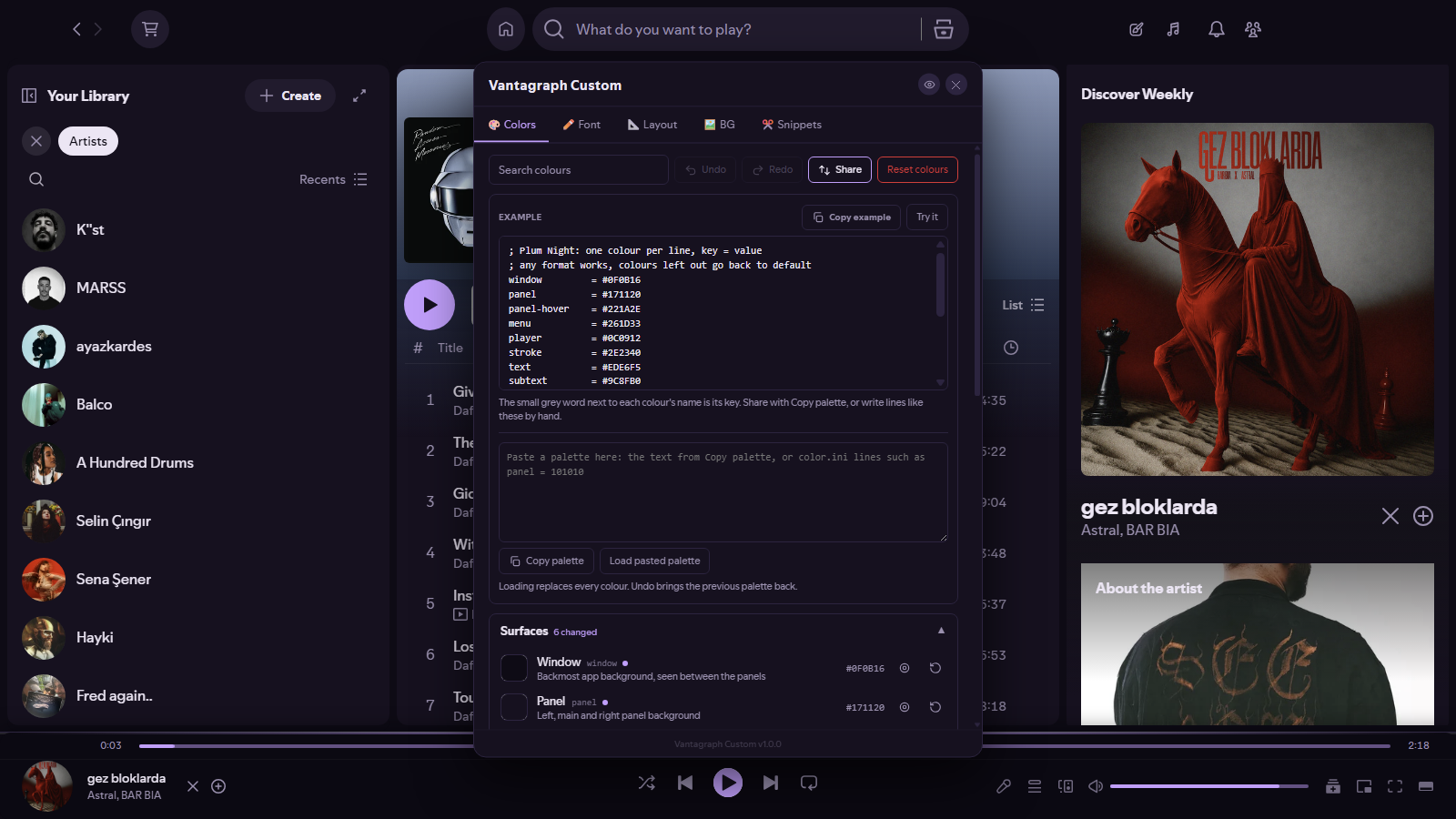
Palettes you can share. Copy the whole palette as text, paste someone else's, or paste color.ini lines straight from another theme.
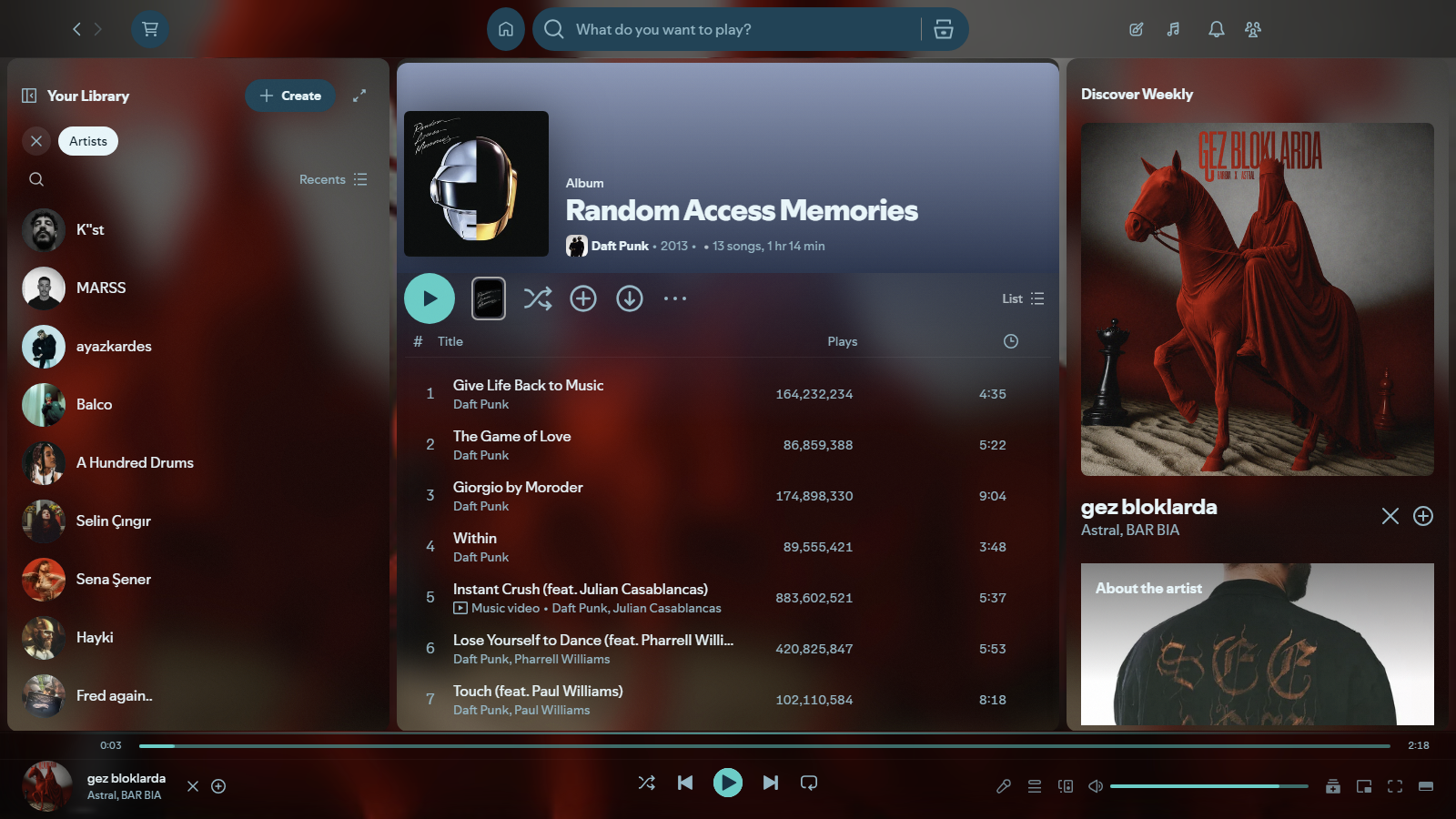
The rest of Vantagraph, minus the icon set. Font, layout, background and snippet tabs, lyric karaoke in picture-in-picture, a taskbar player, scroll-wheel volume and per-track looping. This edition leaves Spotify's own icons alone, so a Spotify update that redraws them cannot break it.
You need Spotify 1.3.3+ and Spicetify 2.45.2+.
Spotify 1.3.1 or older? Use the outdated build, Vantagraph Custom 1.0.0 (Outdated). Download
Vantagraph-Custom-1.0.0-OUTDATED-for-Spotify-1.3.1-and-earlier.rar, it holds the files laid out like the Spicetify folders plus anINSTALL-LEGACY.txt. It is a snapshot ofmainat commit21b7900, the last state before Spotify 1.3.3 support, taken withgit archiveand packed with WinRAR. SHA-256:160ac3c4171a0781fcee60eaa7ee9a7936d8742d3865804eed1b609c31b81ad6. The Marketplace always installs the current version.
The quickest way is Spicetify Marketplace: search for Vantagraph Custom and press Install. To install by hand instead:
Copy this repository into …/spicetify/Themes/ as a folder named Vantagraph-Custom, and every .js from its Extensions/ folder into …/spicetify/Extensions/. Then:
spicetify config inject_css 1 replace_colors 1 overwrite_assets 1 inject_theme_js 1
spicetify config current_theme Vantagraph-Custom
spicetify config extensions vantagraph-custom-settings.js
spicetify apply
Spotify restarts in the VantagraphBlack palette with a new button in the topbar. Open it, stay on Colors, and start changing things. The optional extensions and the way back to stock Spotify are in the installation guide.
Already using Vantagraph? Run one or the other. With both sets of extensions enabled you get two settings buttons and two volume wheels.
| Installation | Every install path, which extension does what, and how to uninstall cleanly |
| The colour editor | All thirty-six colours, what each one paints, and every tool in the picker |
| Settings | The other four tabs, every slider and every snippet |
| Extensions | The add-ons in detail, and the credits they are built on |
| Tutorial | How a colour gets from the editor to the screen |
| Changelog | What changed in each release |
Reading this inside Spotify? The links above open in your browser. Everything you need to install the theme is already on this page.
Vantagraph Custom is AGPL-3.0, with the attribution terms in NOTICE. Use it, change it, ship it, as long as the source stays open and the attribution stays intact. It is built on Vantagraph by the same author.
Three of the extensions are rewrites built on earlier work by Aspecky, khanhas and the Spicetify maintainers, and FO-SS. What each one contributed, and what was added on top, is set out in the extensions guide.
Spotify is not affiliated with this project and does not endorse it. The theme modifies the desktop client locally; you run it at your own risk.
Built by Miabeyefendi