

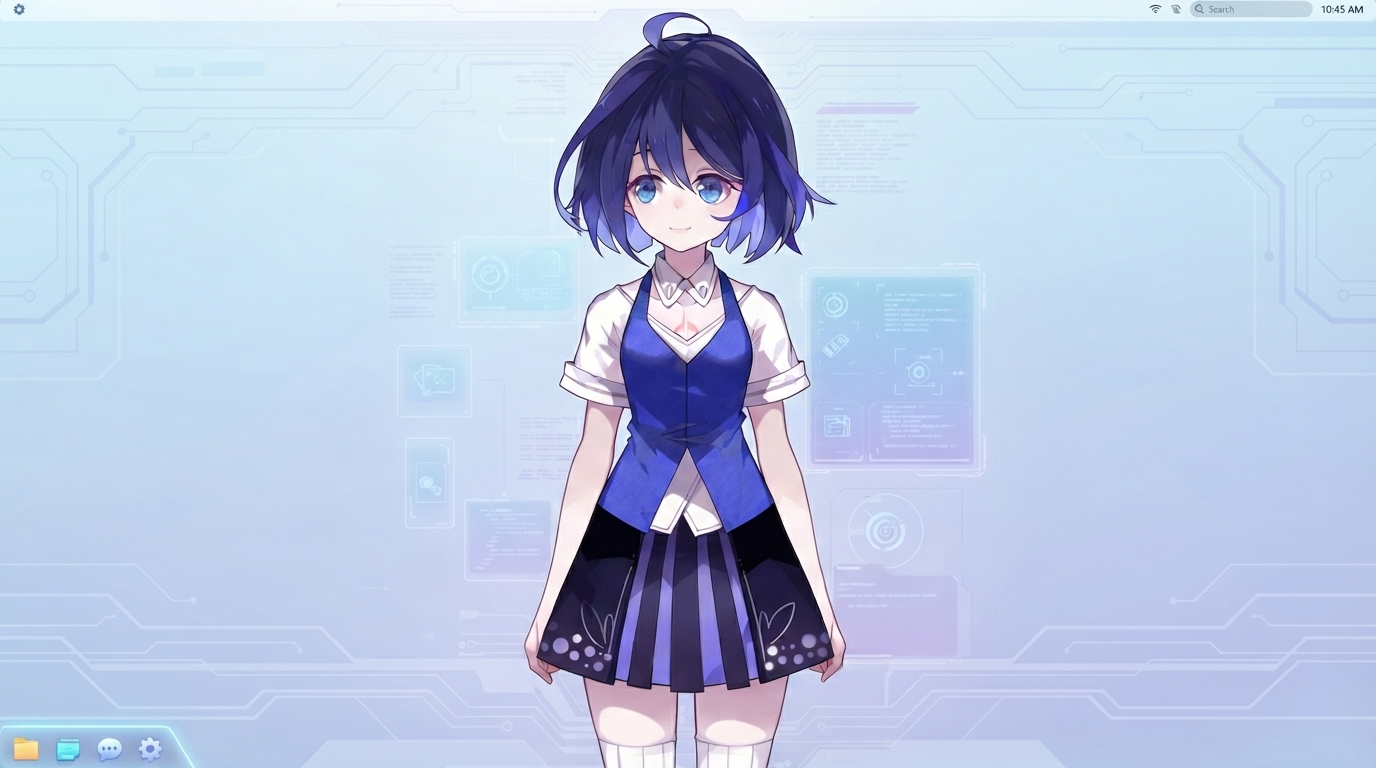
An interactive, fully local AI voice assistant featuring an animated Live2D avatar, speech-to-text, multilingual configuration, screen analysis (vision), and local TTS synthesis.
The assistant combines a Live2D animated character with a local language model and text-to-speech system to create an engaging, natural desktop companion.
- End-to-End On-Device Processing: Entire speech recognition and language understanding are handled natively by Gemma-4-E2B-it, completely eliminating the need for external tools like Whisper and saving significant local processing overhead.
- Natural Voice Interaction: Local audio processing with voice activity detection (VAD).
- Animated Live2D Avatar: Procedural lip-syncing mapped to the TTS audio amplitude, alongside random idle and expressive motions triggered during output generation.
- On-Device AI Inference: Powered by Google's Gemma-4-E2B-it via LiteRT. No external APIs or internet connections are required for core operations.
- Local Text-to-Speech: Real-time, localized speech synthesis powered by Supertonic 3.
- Screen Analysis (Computer Vision): The assistant can capture and analyze your screen upon request (e.g., "Look at my screen", "What's open?", "What is this error?"). On Windows, it attempts to exclude its own window from the screenshot.
- Deep Multilingual Integration: Dynamic loading of localized prompts and instructions via
prompts.json, supporting dynamic language switching on the fly. - Floating Desktop Interface: Built with PySide6, featuring a translucent, borderless, draggable, and resizable UI.
To interact with the borderless Live2D window, hold the Ctrl key and use your mouse:
| Action | Shortcut | Description |
|---|---|---|
| Move Window | Ctrl + Left Click & Drag |
Move the assistant freely around your desktop. |
| Resize Window | Ctrl + Hover on Border & Drag |
Resize the window to your preferred dimensions. |
| Open Settings | Ctrl + Right Click |
Open the configuration panel (Language, prompts, voices, etc.). |
The project uses a prompts.json file to manage language-specific instructions. Instead of a direct word-for-word translation, each language contains custom-tailored system instructions to shape the assistant's behavior, tone, and response style natively.
You can edit prompts.json to refine your assistant's personality or add support for new languages.
Privacy and performance are core design choices of this project. By utilizing Gemma-4-E2B-it for native speech recognition and reasoning, the assistant avoids heavy third-party transcription dependencies. The following components run 100% locally on your machine:
- Speech recognition and language model inference (Gemma)
- Text-to-speech generation (Supertonic)
- Voice Activity Detection (Silero VAD)
- Screen capture and visual analysis (PyAutoGUI)
Internet Connection: An internet connection is only required during the initial setup to download dependencies and model files. Once configured, the core assistant functions entirely offline.
This project performs local AI inference, speech synthesis, and 3D/OpenGL rendering simultaneously. Below is the hardware configuration where the project was tested:
| Component | Specifications |
|---|---|
| Device | Acer Nitro 5 |
| CPU | AMD Ryzen 7 |
| GPU | NVIDIA GeForce GTX 1650 Ti |
| RAM | 16 GB |
Note: This is a reference configuration, not a strict minimum requirement. Performance (latency and FPS) may vary based on your CPU/GPU capabilities, available VRAM, and system drivers.
- Python 3.10+
- PySide6 — GUI and OpenGL rendering
- live2d-py — Live2D v2 model rendering
- LiteRT / litert-lm — Local Gemma-based inference
- Supertonic 3 — Text-to-speech synthesis
- Silero VAD — Voice activity detection
- PyAutoGUI — Screen capture and computer vision input
The project includes an automation script to simplify setup on Windows:
- Download or clone this repository.
- Open the project folder.
- Double-click
start.bat. - The script will automatically create a virtual environment, install the required dependencies, and launch the application.
If you prefer to configure the environment manually:
- Clone the repository and navigate to the folder:
git clone [https://github.com/gemma-live2d-assistant/gemma-live2d-assistant.git](https://github.com/gemma-live2d-assistant/gemma-live2d-assistant.git)
cd gemma-live2d-assistant

 Create and activate a Python virtual environment:
 Bash

 python -m venv .venv
 source .venv/bin/activate   # On Linux/macOS
 .venv\Scripts\activate      # On Windows

 Install the dependencies:
 Bash

 pip install -r requirements.txt

 Run the main script:
 Bash

 python main.py
📁 Project Structure Plaintext
. ├── main.py # Application entry point & GUI ├── chat.py # Voice assistant backend worker ├── prompts.json # Localized system prompts ├── requirements.txt # Python dependencies ├── start.bat # Automated Windows startup script ├── models/ # Downloaded LLM and VAD models (ignored by git) └── xier/ # Live2D model assets (config, textures, physics)
🎭 Live2D Model & Copyright
The Live2D model included in this project was sourced from the public repository Eikanya/Live2d-model.
Important: The Live2D model and its associated assets are not original creations of this project.

License Note: These assets may be subject to third-party copyright, creator rights, and specific licensing terms. The model included here is intended strictly for personal, non-commercial, and educational use.

If you intend to distribute, monetize, or use this project commercially, please replace the default model with a Live2D model you own or have the appropriate commercial license to use.
🤖 About This Project & AI Transparency
This is my first desktop AI assistant project, and it remains a work in progress.
In the spirit of open-source transparency, this application was developed with the assistance of AI programming tools for tasks such as code generation, refactoring, and debugging. However, the overall architecture, integration logic, testing, prompt design, and product direction were guided and supervised by a human developer.
As an experimental project, there are bound to be bugs, unoptimized code paths, and architectural areas that can be improved. Feedback, suggestions, and contributions are highly appreciated! 🤝 Contributing
Contributions are welcome! If you want to help make this assistant faster, more efficient, or feature-rich, feel free to:
Optimize CPU/GPU memory footprint.

Improve Live2D animations and expressions.

Enhance the lip-syncing accuracy.

Refine localized prompts or add new language configurations to prompts.json.

Open an issue or submit a pull request!