
Ever wished you could effortlessly capture key information while watching videos, reading PDFs, or viewing presentations, and have it instantly saved to your knowledge base like Obsidian、Eagle or Anki? Even better, what if you could click a link in your notes and jump right back to the exact source—be it a specific timestamp in a video or the corresponding page in a PDF?
BacklinkGenerator is the core engine that makes this workflow possible. It specializes in capturing information and generating precise backlinks to the original content.
This tool is a key component in an automated knowledge-capturing workflow. When combined with productivity tools (like Quicker) and knowledge base plugins, it enables:
- One-Click Capture: Quickly grab video frames, screenshots of PDF/PPT pages, or selected text.
- Intelligent Processing: Automatically send the captured content and its metadata (like video timestamps or PDF page numbers) to your target application.
- Precise Backlinking: Embed a clickable link in the generated note or card, allowing you to revisit the original context anytime.
- Broad Compatibility: Supports capturing from various applications, including PotPlayer, BookxNote, Zotero, and PowerPoint.
- Multi-Platform Sync: Seamlessly send content to your favorite note-taking and asset management tools like Obsidian, Obsidian-Excalidraw, Anki, and Eagle.
The easiest way to begin is by using the pre-packaged executable.
- Go to the Releases page and download the latest version of
app_hub.exe. - Use a launcher like Listary, Quicker, or your preferred tool to bind a global hotkey to
app_hub.exe. - When you want to capture something, simply press the hotkey with the required arguments.
Common Command Examples:
- Capture a sentence to Anki (with a backlink):
app_hub.exe --target=anki
- Capture a screenshot to Eagle (with a backlink):
app_hub.exe --target=eagle
To help you visually understand the setup and usage, a detailed video tutorial is available (in Chinese).
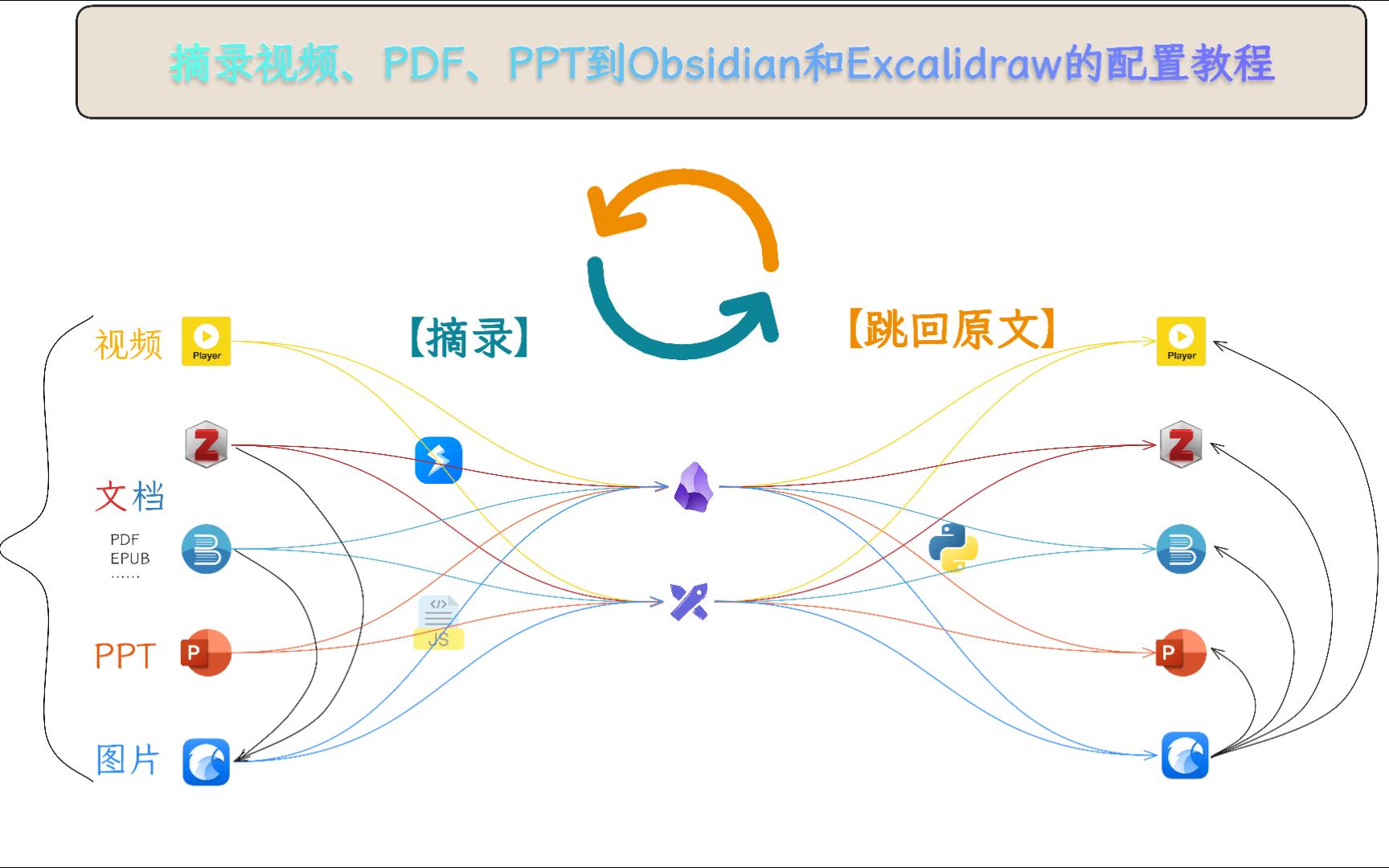
You can download our Obsidian Example Vault to experience the full workflow firsthand.
- Download and unzip the Example Vault.
- Open the vault using Obsidian.
- Check the
摘录方式.excalidraw.mdfile for a visual demonstration of different capture methods.
app_hub.exe serves as the central hub for all functions and automatically detects the currently active application.
| Argument | Description | Default | Example |
|---|---|---|---|
--app |
Source App: Specify the app to capture from. Usually auto-detected. | '' |
--app=potplayer |
--method |
Capture Method: How to get the content (e.g., clipboard, file). | paste |
--method=http |
--target |
Target App: Where to send the captured content. | ob |
--target=anki |
--extra |
Extra Info: Pass special commands or additional data. | N/A |
--extra="AI anki explain" |
If you encounter any problems, have suggestions for improvement, or want to discuss interesting ideas for new features, feel free to reach out:
- GitHub Issues
- Email me
- Leave a comment or send a direct message on Bilibili
- Contact me via my personal channels (WeChat, QQ)
If you find this project helpful, I'd love to hear about your experience in the comments or issues!
You can also support my work by buying me a coffee, which will motivate me to continue maintaining and developing new features.
| WeChat Pay | Buy Me a Coffee |
|---|---|
 |
 |